
SECURITY CAMERA INSTALLATION
Security cameras.
Views that matter.
Camera installation for homes and businesses across Westchester, Putnam, Dutchess, Orange and Rockland Counties. We plan views, recording and authorized remote access around the areas you need to see.
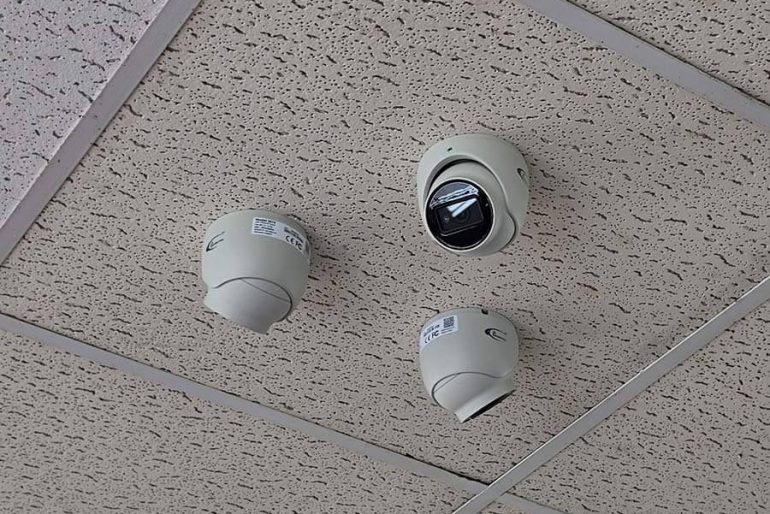
Plan the right setup for your property.
Homes and driveways
Review entrances, driveways and other areas you want covered. We assess light, subject distance, mounting locations and cable routes before recommending equipment.
Businesses and shared spaces
Plan views around customer entrances, staff areas, loading points and other operational priorities. Tell us which events or details you need to review.
Recording and remote viewing
Discuss how long you need footage, who needs access and how the system will connect. We assess suitable recording, network and power arrangements.
A clear installation process
Define the views
Identify the areas and details that matter, including different daytime and nighttime conditions.
Plan the installation
Assess mounting, cable routes, power, recording equipment and network connections.
Configure and hand over
Check the installed views and recording, set up authorized access and explain everyday operation.
PLANNED · INSTALLED · SUPPORTED
Camera installation that starts with the view.
Useful security camera coverage depends on what each camera needs to show. We assess the entrances, activity areas and lighting before selecting locations, recording equipment and remote-viewing options.
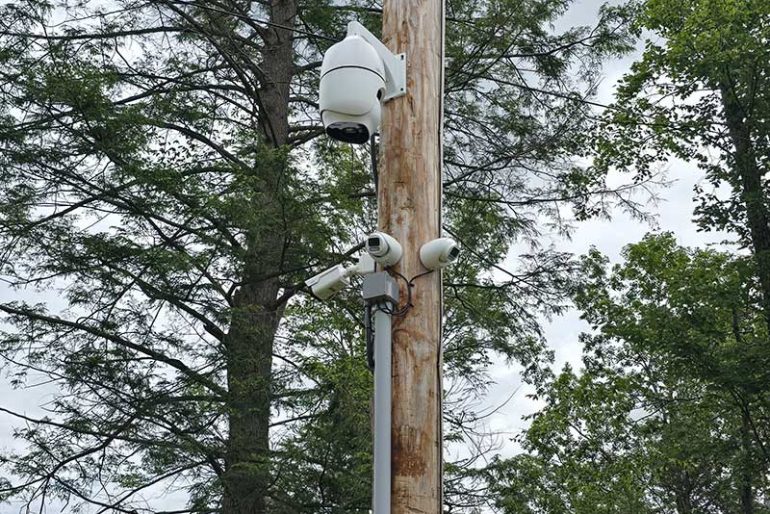
Placement & field of view
A wide view and a useful identification view are different requirements. We discuss the detail needed at each entrance or activity area, then assess mounting height, obstructions and night lighting.
Recording & storage
Camera count, resolution, recording schedules and retention affect the recorder and storage requirements. We size these parts around the project instead of assuming every installation needs the same setup.
Remote access & handover
We review the available network and authorized users, then explain live viewing, recorded playback and routine operation. Product compatibility and access arrangements are confirmed before installation.
PROFESSIONAL CAMERA SYSTEMS
Major brands.
Thoughtfully installed.
We install security camera systems from leading brands including Axis, Hanwha Vision, Uniview and Turing. We select equipment for the view, environment, recording requirements and tools you actually need—not a one-size-fits-all camera package.

Network cameras, video management and on-camera analytics for professional surveillance projects.

AI-enabled camera options and video solutions for commercial properties and everyday operations.

IP cameras and recording platforms for a range of residential and business requirements.

AI camera and cloud platform options for connected video management, search and analytics.
We confirm camera, recorder, video management software (VMS) and analytics compatibility before recommending a system. Individual models and software licenses determine the available features.
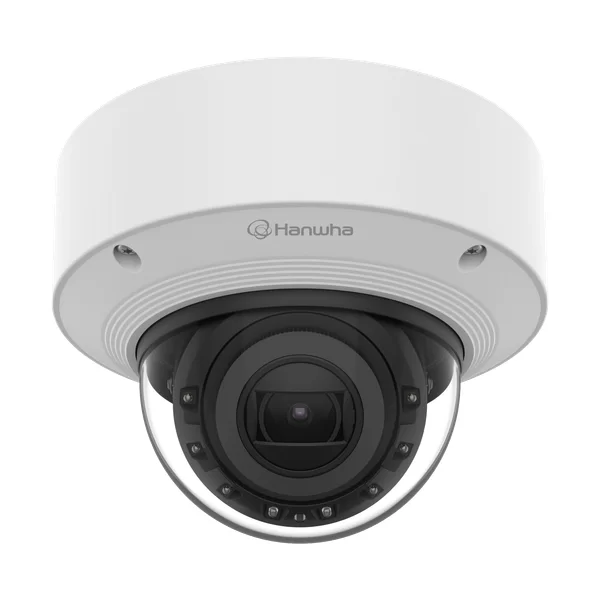
Dome cameras
A camera enclosed beneath a clear protective dome. Suitable models offer a discreet appearance and vandal-resistant housing for entrances, corridors and other interior or exterior locations. We select the right rating and check the view through the dome.
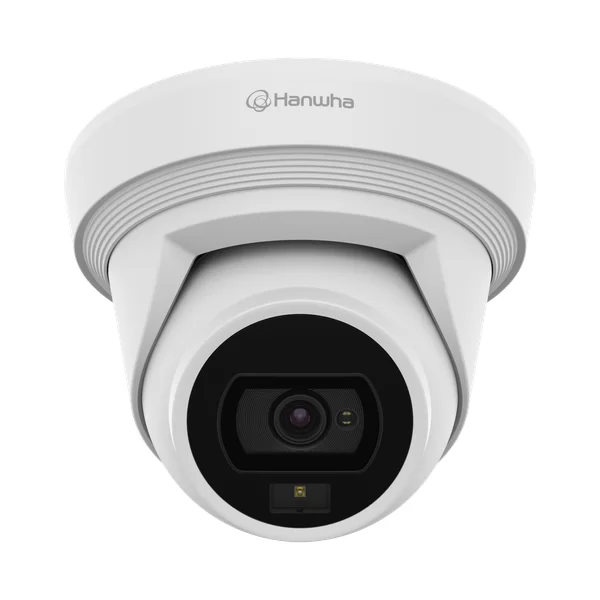
Turret cameras
An adjustable ball-style camera without an enclosing clear dome bubble. A practical option for many building exteriors, porches and interior spaces. We assess the lens, night illumination and weather rating for the location.
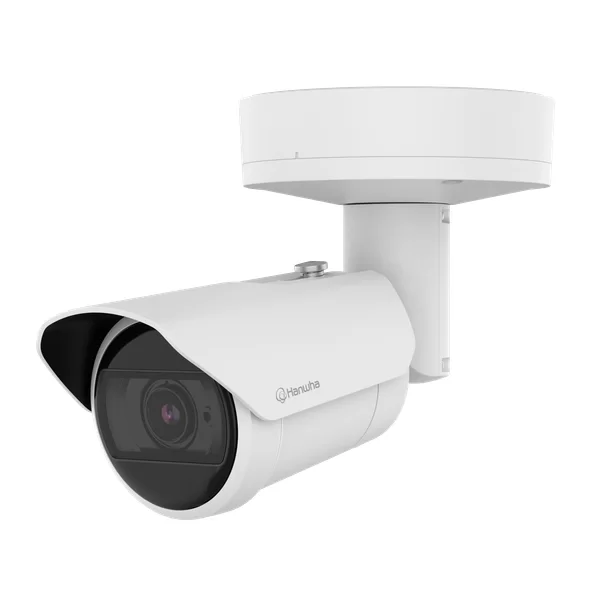
Bullet cameras
Purposeful views of driveways, building approaches, loading areas and property boundaries. Lens choice, lighting and subject distance shape the result.
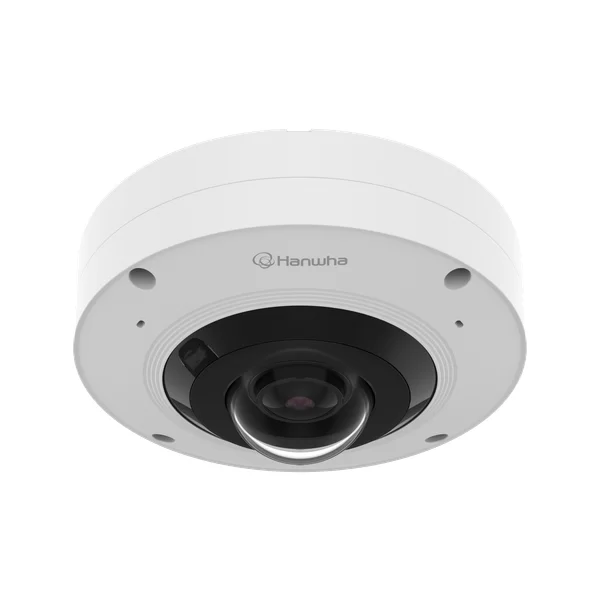
Panoramic & specialist views
Fisheye, multi-sensor and suitable PTZ options can cover larger or unusual spaces. Wide coverage is balanced with the detail needed at important locations.
Hanwha Vision dome, turret, bullet and fisheye product examples shown. We also install other suitable camera styles and brands, with equipment chosen during the site assessment.
AI DETECTION & VIDEO SEARCH
See the event.
Find what matters.
Modern security cameras can do much more than record motion. We design and configure compatible AI video analytics to distinguish people and vehicles, define relevant areas and help you find useful footage faster.
Human detection and automobile detection can focus attention on activity you care about. For example, flag a person entering a restricted loading area after closing or a vehicle crossing a defined driveway line. We tune rules, schedules and sensitivity for the actual scene.
Selected platforms add indexed event search, object filters or natural-language AI search. Search for a person or vehicle within a time range, then review the matching video. Available attributes and search tools depend on the camera, recorder, cloud plan and software.
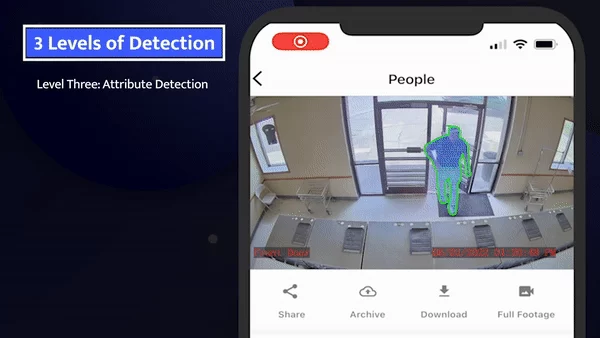
Turing AI human-detection example · manufacturer illustration
Human detection
Focus supported alerts on a person entering a defined scene, rather than every moving shadow or branch. Camera position, light and the person’s size in the image affect detection.
Vehicle detection
Use compatible vehicle classification for parking areas, driveways and loading routes. Detecting a vehicle is different from reading its plate; license plate capture needs its own equipment and design.
Intrusion & line crossing
Configure supported area-entry, line-crossing or loitering rules around operating hours. We test the scene and explain what triggers an event, where alerts go and how authorized users review them.
AI assists review and can reduce irrelevant alerts; it does not eliminate false alerts or missed events. Automated notifications do not include professional human monitoring unless that service is arranged. Explore professional video monitoring →
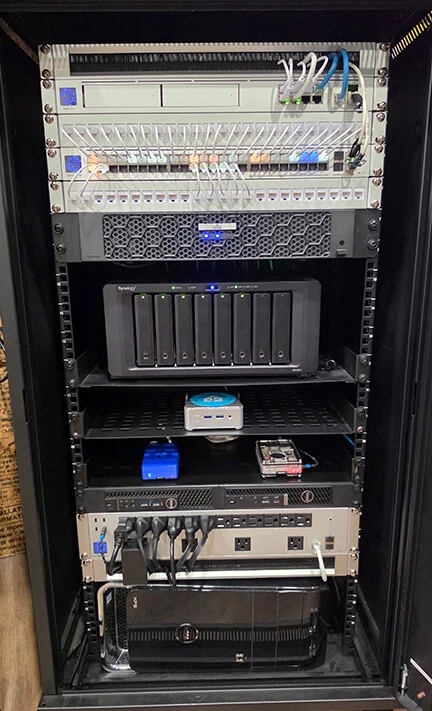
Network and server rack installation by LinkedUp Security
LOCAL · CLOUD · HYBRID
Recording that fits
your operation.
The right security camera installation includes a recording plan. We size storage, establish recording schedules and discuss the retention you need before installing the cameras.
A network video recorder (NVR), a VMS server or supported camera storage can keep recordings at your property. Cloud-based upgrades can add off-site storage, centralized management, expanded AI search and analytics where supported. A hybrid design can combine local recording with selected cloud services.
We review camera count, resolution, frame rate, compression and continuous versus event recording. We also assess upload bandwidth, network capacity, user permissions and ongoing service costs, so the proposed design is practical to operate.
Local recording
Store footage on an appropriately sized NVR, VMS server or supported edge device. Compatible systems can continue local recording during an internet outage while power and the local network remain available.
Cloud-based upgrades
Discuss supported cloud retention, remote management and expanded search or analytics. Upload requirements, recurring licenses, retention periods and supported equipment are confirmed for the chosen service.
A hybrid approach
Keep selected recordings on site and add the cloud functions you need. We check integration and explain which footage is stored where, what happens during outages and which features require internet access.
Remote access is configured for authorized users. We explain playback, exporting an incident clip, account permissions and the available recording-health notifications as part of handover.
BUSINESS INTELLIGENCE & LOSS PREVENTION
More context
for your business.
For retailers and other commercial properties, compatible video systems can connect an incident to the transaction or activity around it. We help you assess useful integrations without adding tools your operation will not use.
Point-of-sale (POS) integration can link transaction information with synchronized video, helping authorized staff review a refund, void or other transaction alongside the corresponding camera view. This is a system integration, and does not always require AI. Compatibility with the specific POS platform, recorder and software must be checked.
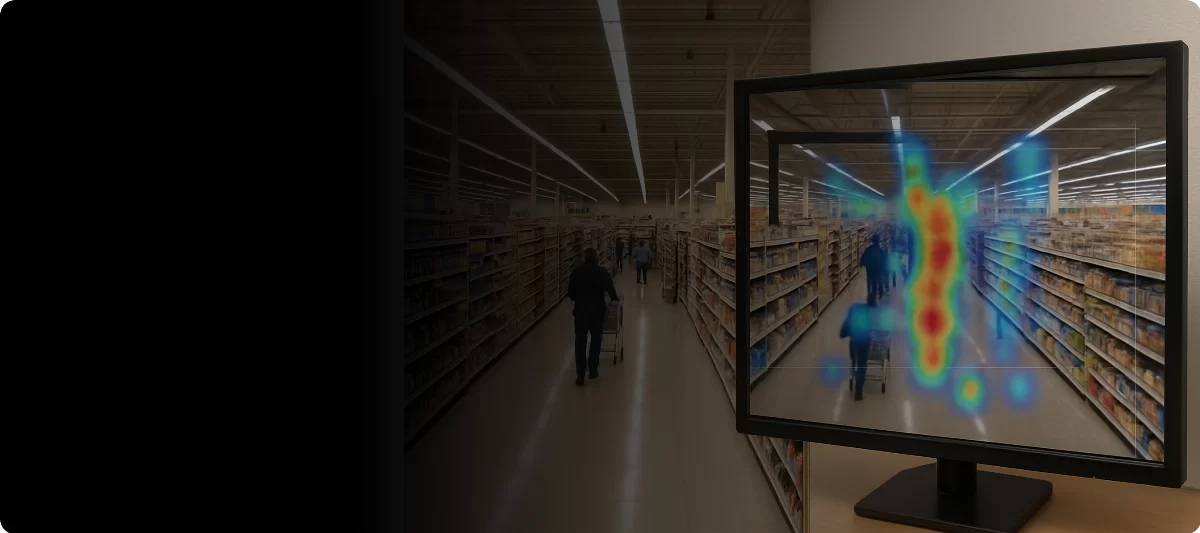
Hanwha Vision retail analytics illustration · example interface
Transaction-linked video
Review supported POS events with matching footage instead of manually searching every camera. We discuss event types, time synchronization, access rights and the integrations your existing equipment supports.
Loss-prevention review
Plan views around checkout areas, stockrooms, entrances and loading points. Video can help staff investigate incidents, resolve discrepancies and review procedures; an analytics alert alone does not establish theft.
Heat maps & traffic insights
Selected business analytics can show activity patterns, people counts, dwell time or queue trends. Use supported reports to understand busy areas and improve layouts or staffing, with appropriate camera coverage and configuration.
We scope analytics around a clear business purpose and explain the limitations of the selected tools. Counts and heat maps are estimates influenced by the scene, camera position and software; they are not a guarantee of business outcomes.
DESIGN · INSTALLATION · CONFIGURATION · SUPPORT
The installation is the foundation.
We help you get more from it.
Our work includes mounting and wiring cameras, building reliable recording and network connections, setting up useful detection rules and explaining the system. We check the installed views and recording, then help your team use the functions included in the chosen solution.
Test the complete system
Review camera aim, focus, day/night conditions, recording and playback. Test configured detection zones and notification paths, then explain how to retrieve and export relevant footage.
Prepare your users
Set appropriate accounts and permissions for family members, staff or multiple locations. Walk through live viewing, incident review and the settings that matter for everyday operation.
Maintain reliable coverage
Arrange on-site or remote support, camera cleaning and adjustment, supported firmware and software updates, repairs and scheduled health checks to suit the installation.
OUR INSTALLATION GALLERY
See the details behind the installation.
Explore photographs from our existing camera and network installation gallery. Select a photo for a closer look at placement, mounting and cable routing.
Outdoor coverage and camera placement
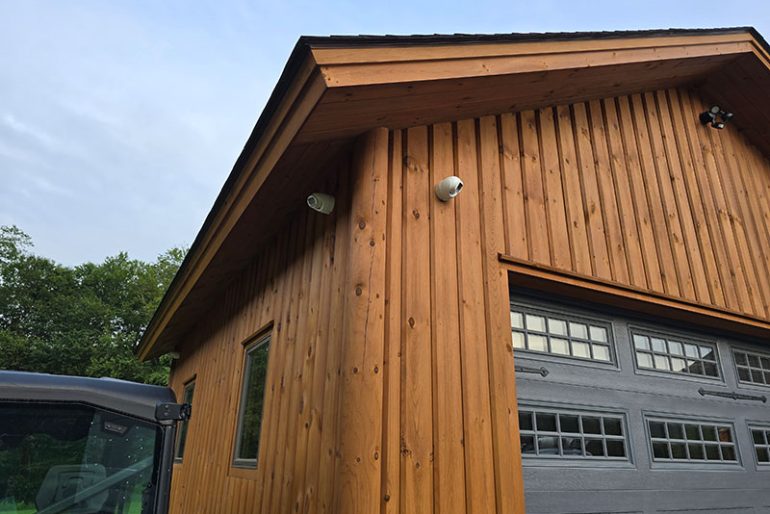
Camera placement on an outbuilding
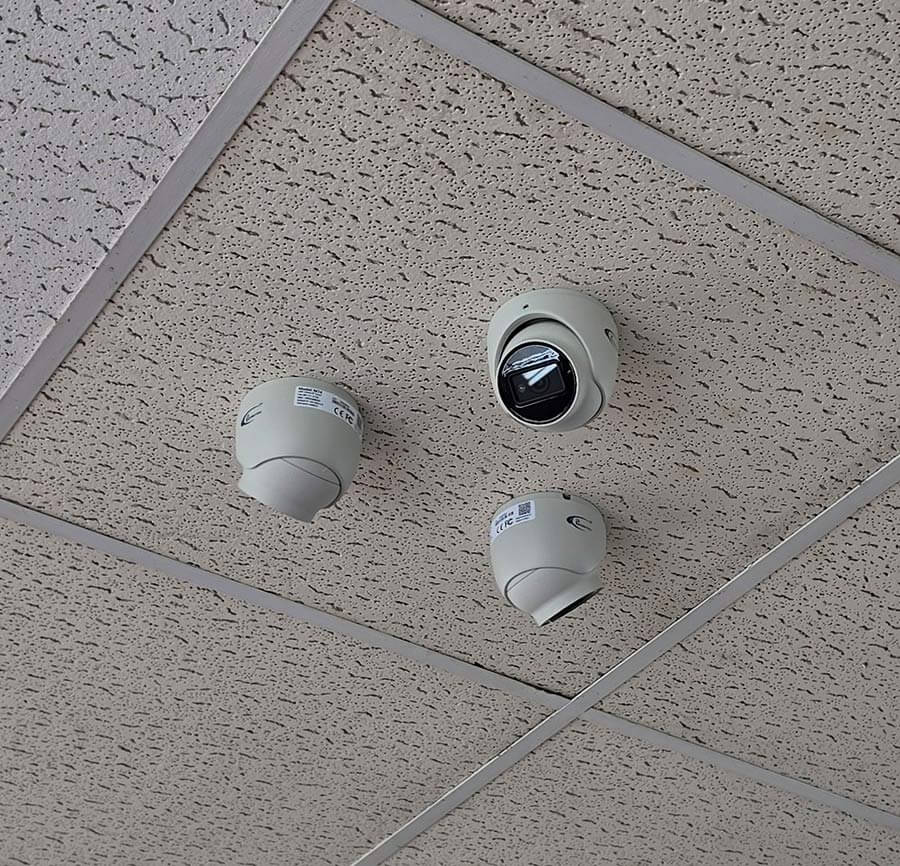
Ceiling mounted cameras in a business
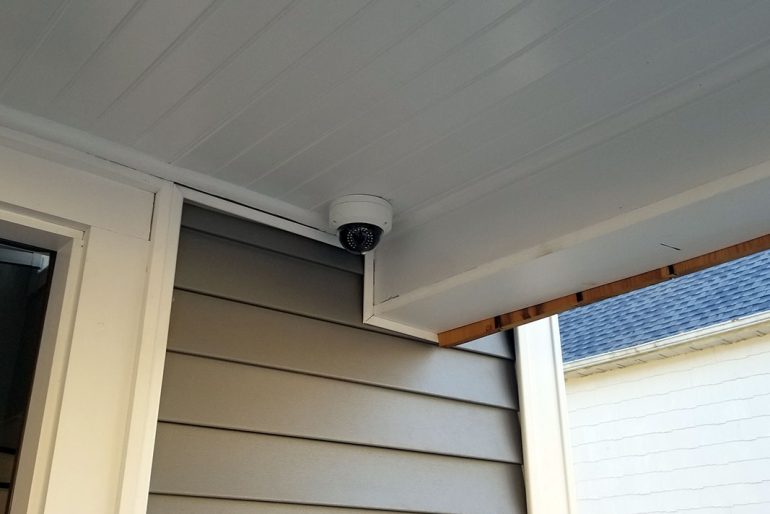
Residential porch coverage
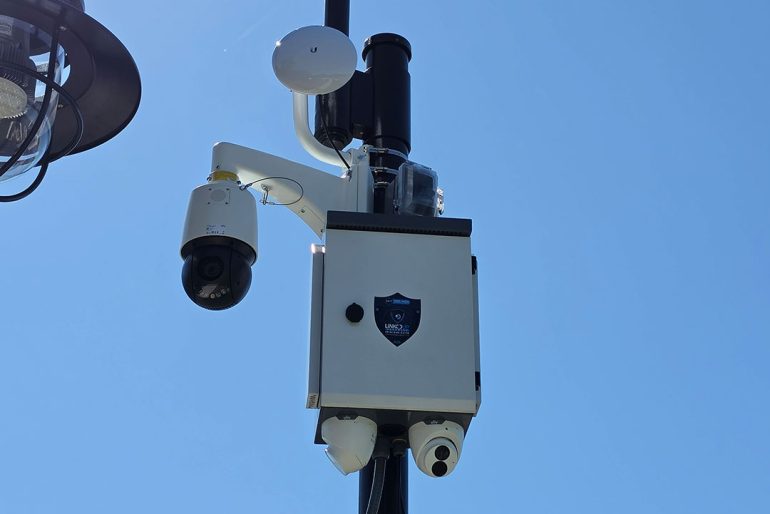
Outdoor camera and equipment enclosure
REAL CUSTOMER FEEDBACK
What our customers say.
EXCELLENTTrustindex verifies that the original source of the review is Google. 5 stars! Very professional, reliable, great customer service, and excellent quality work! I would definitely recommend for all security related work. ⭐️Posted onTrustindex verifies that the original source of the review is Google. Mike has done a lot of work for me. He’s a real professional. He’s really into what he does. His prices are great. He’s always there when you need them.Posted onTrustindex verifies that the original source of the review is Google. Mike is great, knows his stuff, and is sincerely concerned about all your needs. And he is local, my neighbor.Posted onTrustindex verifies that the original source of the review is Google. We're a local business in Putnam, we went the cheap route of Eufy and it was terrible. Mike came by ripped it all out then gave us an amazing complete system. It was a 10/10 experience!Posted onTrustindex verifies that the original source of the review is Google. Mike and his team are extremely knowledgeable, responsive and reasonably priced. We highly recommend them for all of your security installation needs!Posted onTrustindex verifies that the original source of the review is Google. I contracted LinkedUp Security to install security cameras at my house in Peekskill that is on a busy road and am extremely happy that I did! They were professional, on time, communicated great and did outstanding work. They walked me through how to use the new system and answered all questions that I had. I highly recommend Mike and his teamPosted onTrustindex verifies that the original source of the review is Google. Just bought a new house in the area and needed alarms and cameras setup, we called Linked Up Security and couldnt be happier. Mike and his team were super professional and answered any questions me and my wife had. They also walked us through step by step on how to use to new system. Their pricing was the most competitive in the area, highly recommend them to anyone who needs cameras or alarms setup in their house. Thank you Linked Up!Posted onTrustindex verifies that the original source of the review is Google. Mike installed cameras and a new network at our house and I could not be happier with the results. He was thorough, responsive and very communicative, and his work is very clean. Thanks, Mike!Posted onTrustindex verifies that the original source of the review is Google. Mike Ford was recommended to me by another location owner. I reached out to him when I took a new locations and had to clean up a mess of IT nightmares. Weak WiFi, unsecured systems, personal use style devices installed. This is a high profile project with tons of new tech going in. And the key to our success is the backbone of great infrastructure. After meeting with him I could immediately sense he was the company. So I hired him. He came on board and very quickly identified the issues, put together our strategy options and excluded a flawless overhaul. New cable runs, new Wi-Fi, new network, new cameras, and web support. He had it all up and running within an impossible timeline under less then desirable conditions as we were under construction at the same time. For me, being able to trust and rely on an IT pro is key. Someone that is open and shares the details so not as to try and hold us hostage. Rather relies on his quality of work to keep us as clients. He continues to be an asset to our organization to this day. When I find someone that has such a vast knowledge, is responsive, always available, I want to give that person our business. I will definite use him on all future projects. For us, it was a montage of systems. All new IP systems for 140' video wall, self service kicks, two secure networks and a public one, ubiquity drama machine and WiFi, new IP phones, Ip cameras and website development. Of course, all on budget, and all done yesterday. Lol I can confidently recommend his company and team without hesitation.Posted onTrustindex verifies that the original source of the review is Google. I hired LinkedUp Security to install multiple cameras at my home about 5 years ago and they have been perfect since. I've communicated with Mike with questions multiple times since the install and he is always very responsive and helpful. Highly recommend!
Clients & organizations
A few of the businesses and local organizations we’ve worked with.


Let’s talk security.
Tell us your town and what you want to protect. We’ll help you plan the right setup.
Questions about camera installation
The number of views, equipment, cable routes, mounting conditions and recording requirements all affect the project. We assess the property and scope before quoting.
We assess the equipment and the problem you want to solve before recommending reuse, reconfiguration or replacement. Share the camera and recorder models if you have them.
Authorized remote viewing depends on suitable equipment, configuration and connectivity. We confirm the available options for the proposed system.
Results depend on the location, lighting, subject distance, mounting and selected equipment. We review the nighttime conditions rather than assuming every camera will perform the same way.
Storage planning depends on the camera count, recording settings and the footage retention you need. Tell us how the footage will be used so we can assess suitable recording capacity.
We provide 24/7 support. Most equipment comes with a three-year warranty; coverage varies by product and the applicable terms are confirmed for your project.
We install leading brands including Axis, Hanwha Vision, Uniview and Turing, alongside other suitable equipment. The recommendation depends on the property, view, recording plan, existing infrastructure and required features. We confirm model and software compatibility during the proposal.
Compatible AI cameras and analytics platforms can classify people and vehicles and apply supported rules such as area entry or line crossing. We select suitable equipment and configure the scene, schedules and alerts. Performance depends on lighting, distance, mounting and other site conditions; AI detection is not infallible.
Yes. Suitable NVR, VMS server and edge-recording systems can store footage locally. Remote viewing and cloud analytics are separate design choices. We discuss internet dependency, power, network availability, retention and storage capacity before recommending a setup.
Sometimes. A compatible cloud or hybrid platform may add supported recording, management or AI search functions to existing cameras. We check camera models, video streams, firmware, licenses and upload bandwidth before confirming which upgrades are possible and what they cost.
AI video search uses indexed events or scene metadata to help locate relevant recordings. Depending on the platform, you may filter by person, vehicle, time or other supported attributes, or use natural-language search. Results still need to be reviewed, and the available search functions depend on the selected equipment and service plan.
We assess supported point-of-sale integrations that associate transaction data with synchronized camera footage. This can help authorized staff review an event such as a void or refund. Compatibility depends on the exact POS software, recorder or VMS and integration license; it is confirmed before the project is quoted.
Selected commercial camera and analytics systems support heat maps, people counts, dwell-time or queue reports. These can help a business understand activity patterns. Camera position, scene conditions, model and licensing affect the available reports and their accuracy. We scope the tools around the business question you want to answer.
Yes. Our installation work includes checking the views and recording, configuring agreed detection and access settings, and explaining everyday operation. We also offer on-site and remote support and security system maintenance, including cleaning, adjustment, repairs, supported updates and scheduled health checks. The ongoing service scope is agreed for your system.
A dome camera has a clear protective dome over its camera module. A turret camera has an adjustable ball-style module without that enclosing dome bubble. A bullet camera uses an elongated housing aimed at a chosen view. We assess mounting, lighting, required image detail and suitable weather or vandal-resistance ratings rather than selecting by shape alone.
Put a response behind your cameras.
Add professional security video monitoring for proactive protection of sensitive areas. Explore 24/7 human monitoring, AI-assisted detection, two-way audio talkdown and police dispatch coordination.
Keep your security system working as it should.
On-site and remote support, camera cleaning and adjustment, repairs, supported updates and scheduled health checks. Plan preventive maintenance to improve system reliability and reduce avoidable downtime.
VEHICLE & FLEET CAMERAS
Camera coverage that travels with your fleet.
We install SEON vehicle camera systems for school-district SUVs, vans and other student transportation vehicles, as well as emergency and first-responder fleets. Explore cabin, front and rear recording, GPS options and installation planned around each vehicle.