

LOCAL INSTALLATION · HUDSON VALLEY
Axis Camera Installation
in the Hudson Valley
Get an Axis camera system planned around the views you need and the way your team reviews video. LinkedUp Security installs Axis security cameras across the Hudson Valley, from cable routes and mounting to recording, image adjustment and a practical handoff.
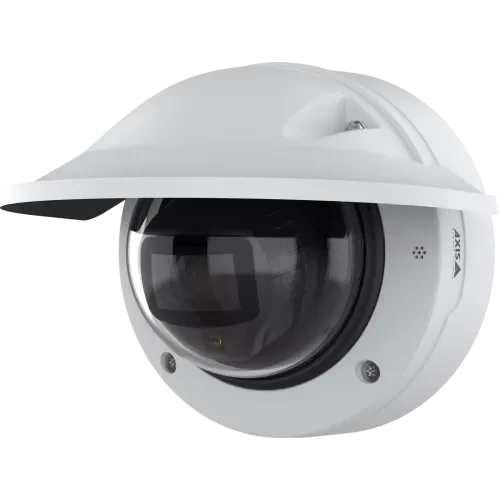
AXIS P3285-LVE dome camera · equipment example
An Axis system starts with the scene
A loading dock, a shared entrance and an open parking area each ask something different of a camera. We review the viewing distance, changing light and recording workflow before recommending the equipment.
Useful views at entrances
Choose mounting positions and lens coverage around faces at an entrance, vehicle approaches or activity at a service counter. We review the view with you before calling the installation complete.
Events that fit the site
On compatible cameras, AXIS Object Analytics can classify people and vehicles and apply rules such as line crossing or time in an area. We set up the selected scenarios around the actual scene.
A manageable video system
Decide who needs live video, who can export footage and how recording is retained. We coordinate camera choices with the selected recorder or video management platform.
CAMERA STYLES · PURPOSEFUL COVERAGE
Axis camera types for different spaces
The best camera style depends on what you need to see, where it can be mounted and how the area is lit. We can combine different Axis camera types within one carefully planned installation.
Dome cameras
AXIS P3285-LVE
A protective dome enclosure suits entrances, corridors and other accessible mounting positions. We check viewing angles, reflections and service access when installing it.
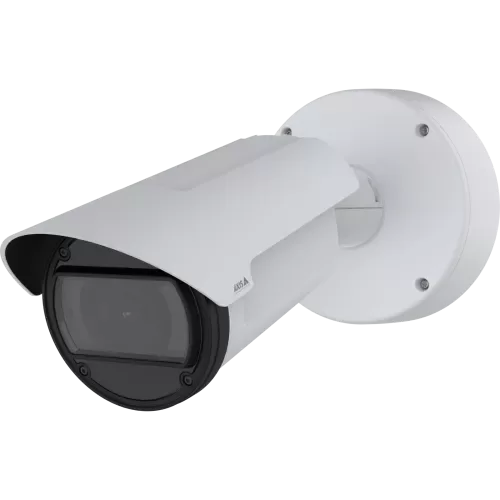
Bullet cameras
AXIS Q1805-LE
Directional coverage for approaches, loading areas and perimeters. Lens selection and precise mounting matter more than the housing shape when you need detail at a distance.
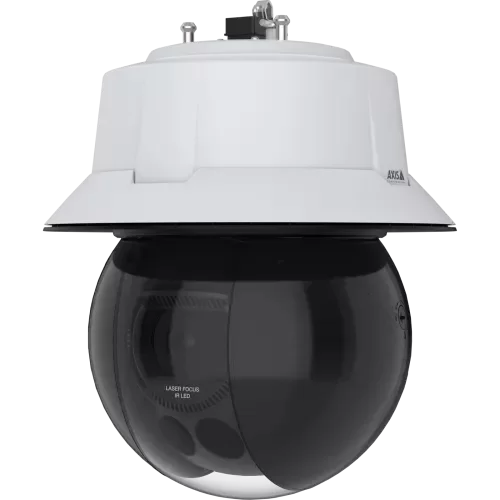
PTZ cameras
AXIS Q6355-LE
Pan, tilt and optical zoom let authorized operators investigate a larger area. We plan presets and supporting fixed views so activity is still recorded when the PTZ looks elsewhere.
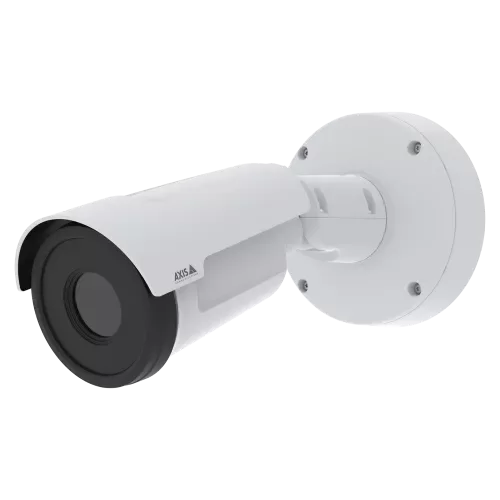
Thermal cameras
AXIS Q1961-TE
Heat-based imaging can support perimeter detection in darkness. We pair the detection objective with suitable visible-light coverage when identification is needed.
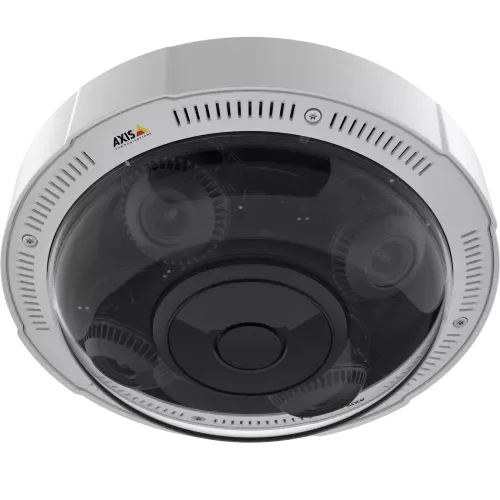
Panoramic & multi-sensor cameras
AXIS P3727-PLE
Several views from one mounting position can help cover corners, open areas or intersecting paths. We review detail per view and the recording platform’s handling of each stream.
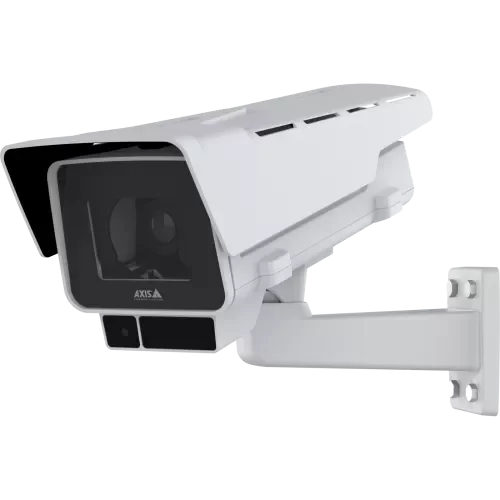
Box cameras
AXIS P1388-LE
A box-style camera offers another approach to lens and mounting requirements. We select the camera, lens arrangement and environmental protection around the scene.
CAMERA TECHNOLOGY · PRACTICAL SETUP
On-camera analytics. Deliberate configuration.
AXIS Object Analytics processes supported detection tasks on the camera. The available scenarios depend on the camera and AXIS OS version. We check those capabilities when selecting equipment, then review detection areas and excluded activity during setup.
For viewing and recording, discuss AXIS Camera Station or another compatible video management system. A picture appearing on screen is only one part of compatibility: events, search, permissions and export workflows also need to fit the project.
Axis network dome camera · product illustration
Professional installation.
From the first cable to final handoff.
We install Axis cameras as a coordinated system. The site assessment defines the views, equipment and installation work, with existing infrastructure checked before it is reused.
Site assessment and camera placement
Walk through entrances, approaches and the areas you need to review. We consider viewing distances, light, obstructions and access for later service before selecting locations.
Cabling, mounting and network connections
Install the agreed cable runs and mounting hardware, and review PoE capacity and network connections. Weather exposure, cable routes and work access are part of the plan.
Recording and detection setup
Connect cameras to the selected platform, configure recording and agreed supported events, and review image framing. Check playback and export with the people who will use the system.
User handoff and system records
Explain everyday viewing, account access and retrieval of footage. Identify administration responsibilities and discuss any maintenance or additional training included in the proposal.
Axis recording options.
Keep the footage you need.
Choose where video is stored, how staff retrieve it and what should happen if a connection fails. We size the recording system around the installation instead of selecting storage by camera count alone.
Local recorders & Camera Station Pro
AXIS Camera Station Pro can run on an appropriate recording server or Axis recording appliance. We plan storage capacity, camera licensing, network throughput and authorized playback or export access.
Camera Station Edge
AXIS Camera Station Edge provides another route for suitable installations, using supported camera storage or AXIS S30 / S40 recorders. We check camera compatibility and the required daily viewing workflow.
On-camera storage & failover
Supported cameras can record to surveillance-rated memory cards. Compatible Camera Station Pro configurations can use camera storage for failover when the recording connection is interrupted. We verify support and recovery behavior.
Cloud storage & connected access
AXIS Camera Station Cloud Storage is an optional add-on for supported Pro and Edge installations. We discuss the subscription, bandwidth and retention required; remote viewing alone does not create an off-site copy.
Storage is part of the installation plan. Continuous, scheduled and event-based recording have different storage needs. We review image quality, frame rate, compression and the retention period you want, then check playback and export. Optional UPS power, storage redundancy and off-site copies can be discussed for the project; RAID alone is not a backup.
Where Axis installation planning matters
Business entrances
Review backlighting, approach direction and the point where a useful image is needed. Keep the field of view relevant to the entrance rather than simply covering the widest possible area.
Warehouses and service areas
Plan around aisles, loading activity, high ceilings and equipment that may obstruct the view. Coordinate mounts, cabling and network connections with the site team.
Properties with several cameras or sites
Discuss who administers the system, who reviews incidents and how additional locations will be added. Consistent naming and useful records make changes easier to manage.
Your Hudson Valley Axis installer
LinkedUp Security provides Axis security camera installation throughout Westchester, Putnam, Dutchess, Orange and Rockland Counties. Share your town, the property type and whether this is a new system or an upgrade. We can also discuss projects in New York City.
Keep the camera system connected
Plan the supporting infrastructure and the services needed after installation. Monitoring and maintenance are scoped around the equipment and the response you need.
EXCELLENTTrustindex verifies that the original source of the review is Google. 5 stars! Very professional, reliable, great customer service, and excellent quality work! I would definitely recommend for all security related work. ⭐️Posted onTrustindex verifies that the original source of the review is Google. Mike has done a lot of work for me. He’s a real professional. He’s really into what he does. His prices are great. He’s always there when you need them.Posted onTrustindex verifies that the original source of the review is Google. Mike is great, knows his stuff, and is sincerely concerned about all your needs. And he is local, my neighbor.Posted onTrustindex verifies that the original source of the review is Google. We're a local business in Putnam, we went the cheap route of Eufy and it was terrible. Mike came by ripped it all out then gave us an amazing complete system. It was a 10/10 experience!Posted onTrustindex verifies that the original source of the review is Google. Mike and his team are extremely knowledgeable, responsive and reasonably priced. We highly recommend them for all of your security installation needs!Posted onTrustindex verifies that the original source of the review is Google. I contracted LinkedUp Security to install security cameras at my house in Peekskill that is on a busy road and am extremely happy that I did! They were professional, on time, communicated great and did outstanding work. They walked me through how to use the new system and answered all questions that I had. I highly recommend Mike and his teamPosted onTrustindex verifies that the original source of the review is Google. Just bought a new house in the area and needed alarms and cameras setup, we called Linked Up Security and couldnt be happier. Mike and his team were super professional and answered any questions me and my wife had. They also walked us through step by step on how to use to new system. Their pricing was the most competitive in the area, highly recommend them to anyone who needs cameras or alarms setup in their house. Thank you Linked Up!Posted onTrustindex verifies that the original source of the review is Google. Mike installed cameras and a new network at our house and I could not be happier with the results. He was thorough, responsive and very communicative, and his work is very clean. Thanks, Mike!Posted onTrustindex verifies that the original source of the review is Google. Mike Ford was recommended to me by another location owner. I reached out to him when I took a new locations and had to clean up a mess of IT nightmares. Weak WiFi, unsecured systems, personal use style devices installed. This is a high profile project with tons of new tech going in. And the key to our success is the backbone of great infrastructure. After meeting with him I could immediately sense he was the company. So I hired him. He came on board and very quickly identified the issues, put together our strategy options and excluded a flawless overhaul. New cable runs, new Wi-Fi, new network, new cameras, and web support. He had it all up and running within an impossible timeline under less then desirable conditions as we were under construction at the same time. For me, being able to trust and rely on an IT pro is key. Someone that is open and shares the details so not as to try and hold us hostage. Rather relies on his quality of work to keep us as clients. He continues to be an asset to our organization to this day. When I find someone that has such a vast knowledge, is responsive, always available, I want to give that person our business. I will definite use him on all future projects. For us, it was a montage of systems. All new IP systems for 140' video wall, self service kicks, two secure networks and a public one, ubiquity drama machine and WiFi, new IP phones, Ip cameras and website development. Of course, all on budget, and all done yesterday. Lol I can confidently recommend his company and team without hesitation.Posted onTrustindex verifies that the original source of the review is Google. I hired LinkedUp Security to install multiple cameras at my home about 5 years ago and they have been perfect since. I've communicated with Mike with questions multiple times since the install and he is always very responsive and helpful. Highly recommend!
Axis installation FAQs
Yes. LinkedUp Security plans and installs Axis camera systems in Westchester, Putnam, Dutchess, Orange and Rockland Counties. Send your location and the areas you need to cover so we can discuss a site assessment.
The proposal identifies the camera locations, mounts, cable runs, network connections, recording platform and configuration included. We also review the images and agreed recording or export workflow before handing the system over.
Compatible Axis cameras support AXIS Object Analytics for people, vehicles and selected behavior-based events. The available features depend on the camera and software. We check the model and configure the agreed detection scenarios during setup.
We assess it first. Camera support, available licenses, recording capacity and analytics integration all affect whether the existing platform can be retained. We explain what can be reused before proposing a replacement.
No. Camera count, retention, users, local infrastructure and remote-access needs guide the choice. We can discuss AXIS Camera Station and compatible alternatives, including the licensing and storage required for the selected system.
Yes. We review the current equipment, supported software and administration access, then scope suitable additions or maintenance. Older devices may have compatibility or support limitations that need to be addressed first.
Remote viewing can be configured where supported by the selected platform and network. We discuss user permissions, internet requirements and the devices your team will use to access the system.
The camera and lens choices, number of views, mounting access, wiring, network work, storage and software all affect the quote. A site assessment helps separate the equipment requirements from the installation work.
The choice depends on mounting access, lighting, distance and the detail you need. Domes and turrets are different housings; bullets provide directional views, and PTZ or specialist thermal options address different needs where available. LinkedUp Security assesses the site and can combine suitable camera types rather than using one style everywhere.
Local recording, supported camera storage and cloud or hybrid services have different equipment, bandwidth and subscription requirements. We compare the options supported by your chosen Axis models and platform. Remote viewing does not automatically provide off-site video storage; we explain storage location, retention and access before installation.
Tell us about your Axis camera project
Include your town, property type, the areas you need covered and any existing camera or recorder model numbers. We’ll discuss the installation and the recording or AI features you want to use. Please leave passwords and credentials out of your enquiry.